
An FAQ section typically contains a list of questions and their corresponding answers.
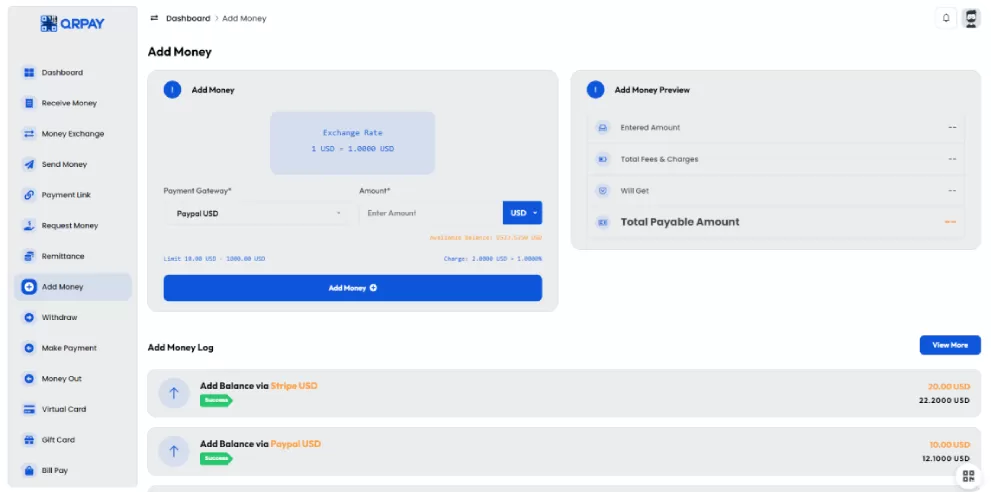
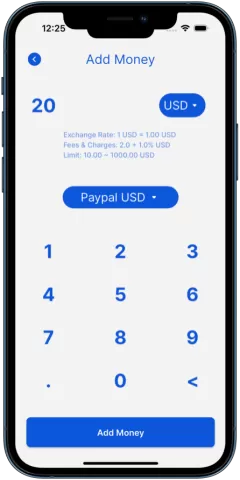
You can add money by logging into your QRPay account, selecting the "Add Money" option, entering the desired amount.
QRPay supports multiple payment methods, including PayPal, credit/debit cards, bank transfers, and mobile wallets.
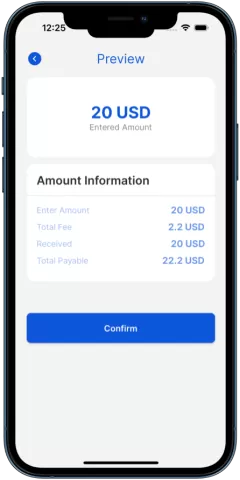
Yes, a small transaction fee may apply depending on the payment method you choose. The fee will be displayed during the confirmation step.
Most transactions but some methods may take a few minutes to a few hours to reflect in your account.
Yes, the minimum and maximum limits for adding money will vary based on your payment method and account status. These limits on the "Add Money" screen.
If your money hasn't appeared, please contact QRPay customer support with your transaction details, and they will assist you in resolving the issue.
Copyright © 2023 QRpay. All Rights Reserved.