top

Pay Your Bills Effortlessly with QRPay

Manage and pay your bills in just a few clicks using QRPay’s convenient and secure bill payment feature. Avoid late fees and enjoy a hassle-free experience with real-time tracking and multiple payment options.

    Here are 3 Steps to Pay Your Bills with QRPay:
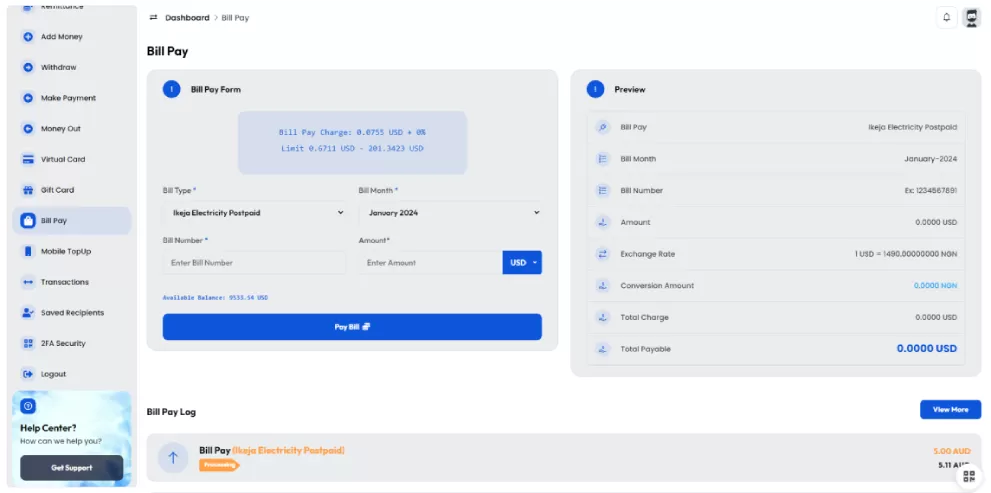
  • 1. Log in to your QRPay account and choose the 'Bill Pay' option from the menu.
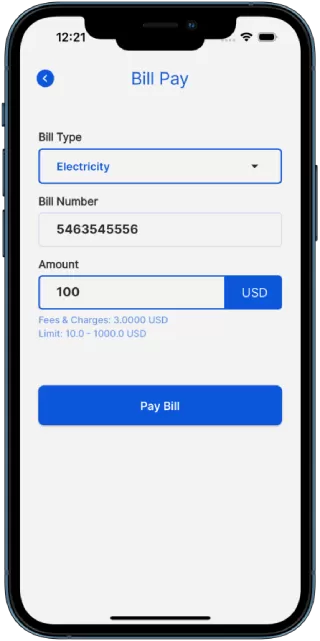
  • 2.Select your biller from the list of supported service providers, enter your account details, and specify the amount to be paid.
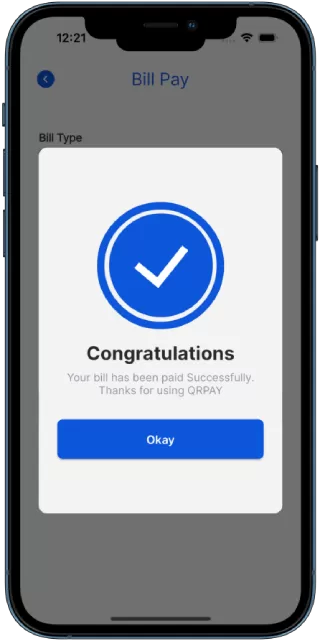
  • 3.Review the payment details, confirm the transaction, and your bill will be paid instantly, with a receipt for your records.
img

Follow these simple steps to easily and securely add funds to your QRPay account in just minutes. Whether you’re topping up for everyday payments or a specific transaction.

Frequently Asked Questions

An FAQ section typically contains a list of questions and their corresponding answers.

How do I pay my bills using QRPay?

Log into your account, choose the "Bill Pay" option, select your biller, and enter the payment details to complete the transaction.

Which service providers are supported?

QRPay supports a wide range of billers, including utilities, telecom providers, insurance companies, and more. Check the list of available providers in your app.

Are there any fees for paying bills through QRPay?

Some bill payments may include a small processing fee, which will be displayed before you confirm the payment.

Can I schedule automatic bill payments?

Yes, QRPay allows you to set up automatic payments for recurring bills, ensuring that you never miss a due date.

How quickly are bill payments processed?

Most bill payments are processed instantly, but the exact time may vary depending on the service provider.

What happens if my bill payment fails?

If a payment fails, you will be notified in the app. You can retry the payment or contact QRPay support for assistance.