top

Experience Hassle-Free Payments with QRPay Virtual Card

Secure, convenient, and ready for use—QRPay’s virtual card offers a simple way to make online payments. Manage your virtual card instantly, use it across global merchants, and protect your financial details with top-tier security measures.

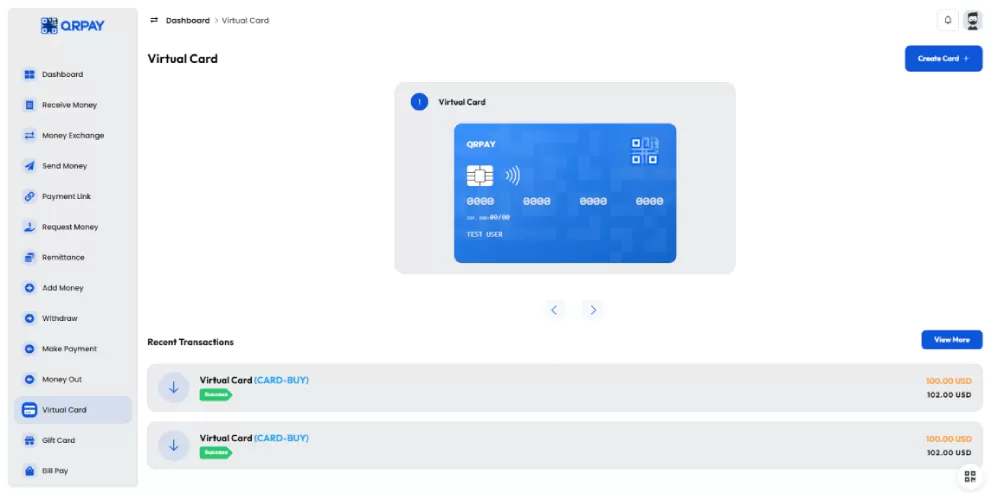
    Here are 3 simple steps for add Virtual Card with QRPay:

  • 1.Log in to your QRPay account and create a new virtual card instantly, choosing your currency and spending limit.
  • 2.Enter your virtual card details at checkout to make secure online payments anywhere that accepts card payments.
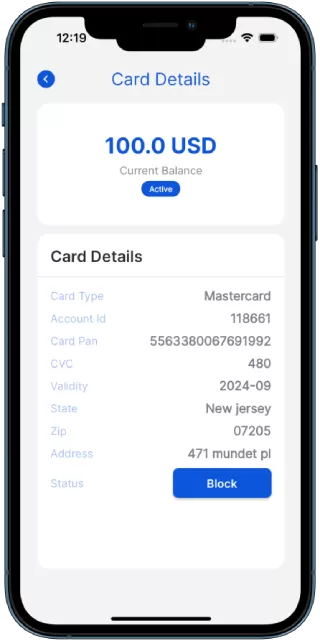
  • 3.Easily track your spending and manage your card through the QRPay app, with real-time transaction monitoring and controls.
img

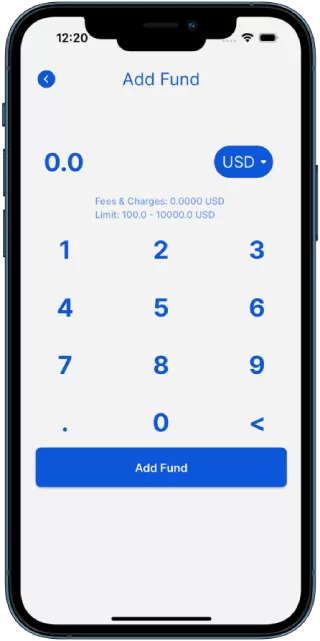
Follow these simple steps to easily and securely add funds to your QRPay account in just minutes. Whether you’re topping up for everyday payments or a specific transaction.

Frequently Asked Questions

An FAQ section typically contains a list of questions and their corresponding answers.

What is a QRPay virtual card?

A QRPay virtual card is a digital version of a physical card that allows you to make secure online payments without exposing your actual card information.

How do I get a virtual card?

You can generate a virtual card through the QRPay app by navigating to the 'Virtual Card' section and following the on-screen instructions to create a new card.

Where can I use my virtual card?

QRPay virtual cards can be used for any online transaction that accepts standard credit or debit cards, both domestically and internationally.

Is my QRPay virtual card secure?

Yes, QRPay virtual cards are equipped with encryption and advanced security features to protect your card details during online transactions, reducing the risk of fraud.

Can I set spending limits on my virtual card?

Yes, QRPay allows you to set custom spending limits on your virtual card to help manage your expenses and prevent unauthorized usage.

What happens if I lose or want to deactivate my virtual card?

You can instantly deactivate or delete your virtual card from within the QRPay app to ensure your account's security.